

Too Long? Watch this →
Step 1: Open Watchlist
Go to Watchlists → select a watchlist → open Automated Rules from the right side → click Set rules. Automated rules are always tied to a watchlist. This means engagement only happens on posts that are in a watchlist where rule is added.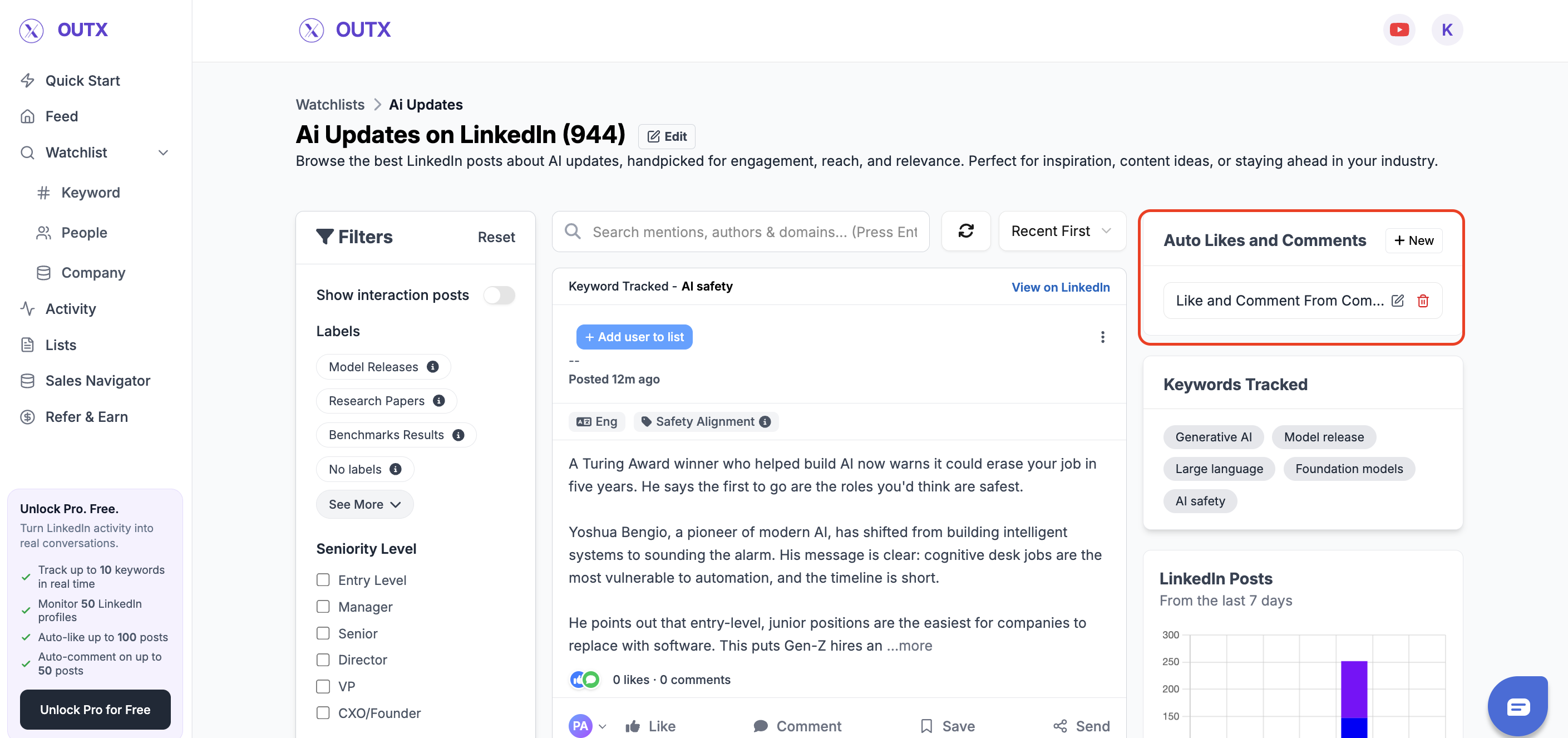
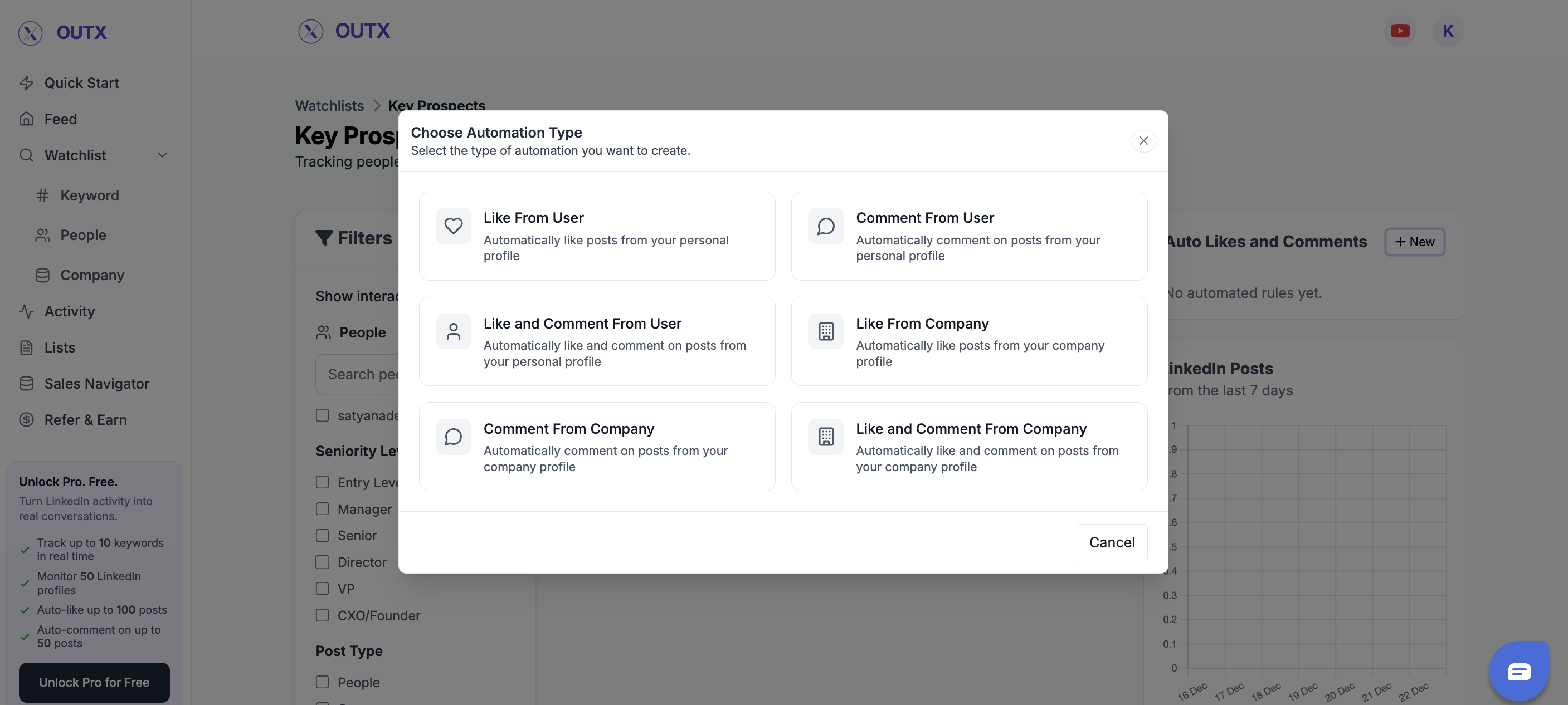
Choose the automation type
Here you decide who performs the engagement and what action is taken.Engage from a personal account
- Like from user – Likes posts from your personal or team member’s LinkedIn account
- Comment from user – Comments on posts from your personal or team member’s account
- Like and comment from user – Performs both actions from a personal account
Engage from a company page
- Like from company – Likes posts from your company’s LinkedIn page
- Comment from company – Comments using your company page
- Like and comment from company – Performs both actions from the company page
Step 2: Create Automation Rule
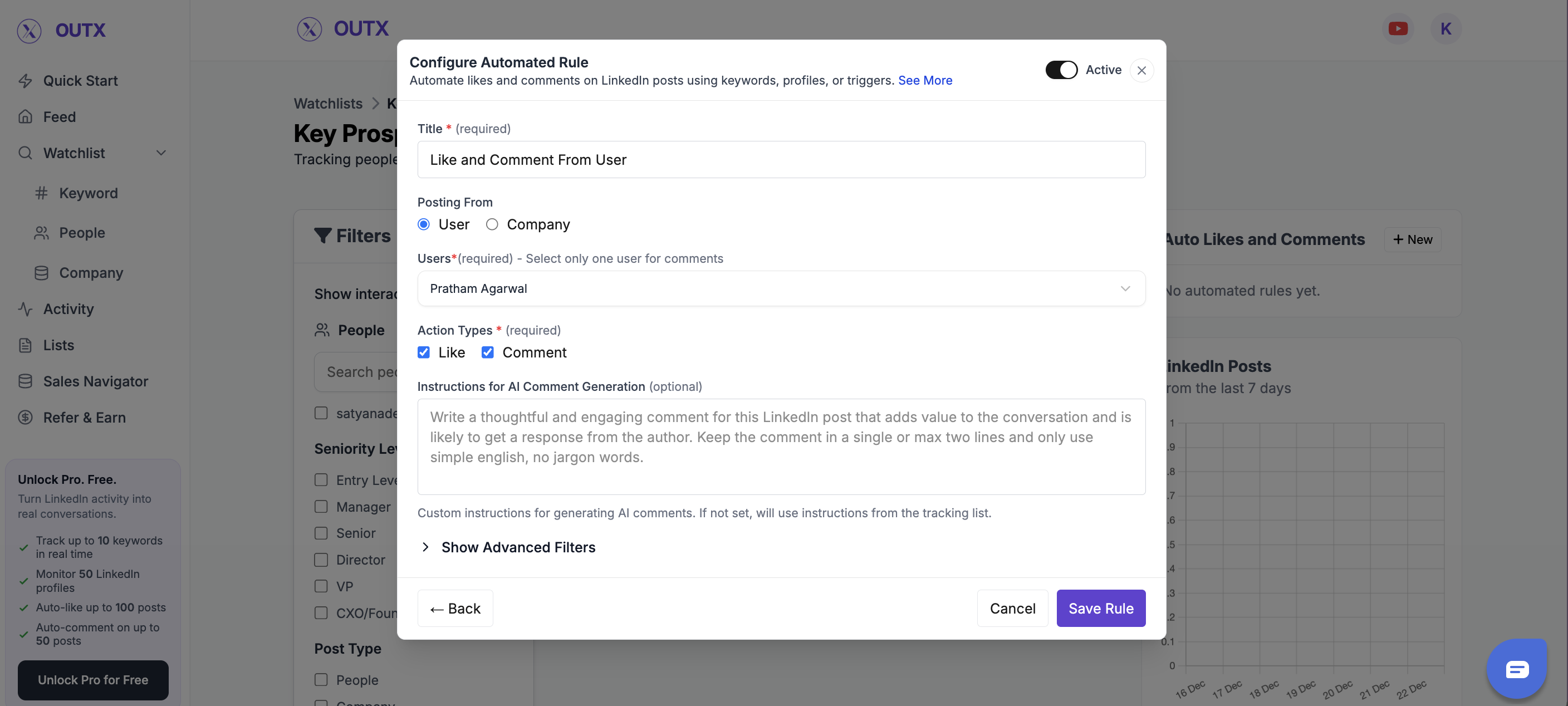
This step defines how the automation behaves.Rule Title
Give the rule a clear name so you know what it does. Examples:- Like hiring posts
- Comment on founder updates
- Engage with product mentions
Select Team Member
Choose which team member’s LinkedIn account will be used for engagement (only applicable for personal account actions).Choose Actions
Select what OutX.ai should do:- Like
- Comment
- Like and comment
Custom Instructions (Very Important)
Add simple guidance for how likes or comments should behave. Examples:- “Keep comments friendly and short”
- “Acknowledge the update without selling”
- “Congratulate and ask a light follow-up question”
Optional Controls
You can further fine-tune the rule if needed:- Profile exclusions – Skip engagement on specific profiles
- Employee level – Engage only with posts from certain seniority levels
- What to track – Choose which updates trigger engagement:
- Posts by people
- Posts by companies
- Job updates
- Birthdays
Result:
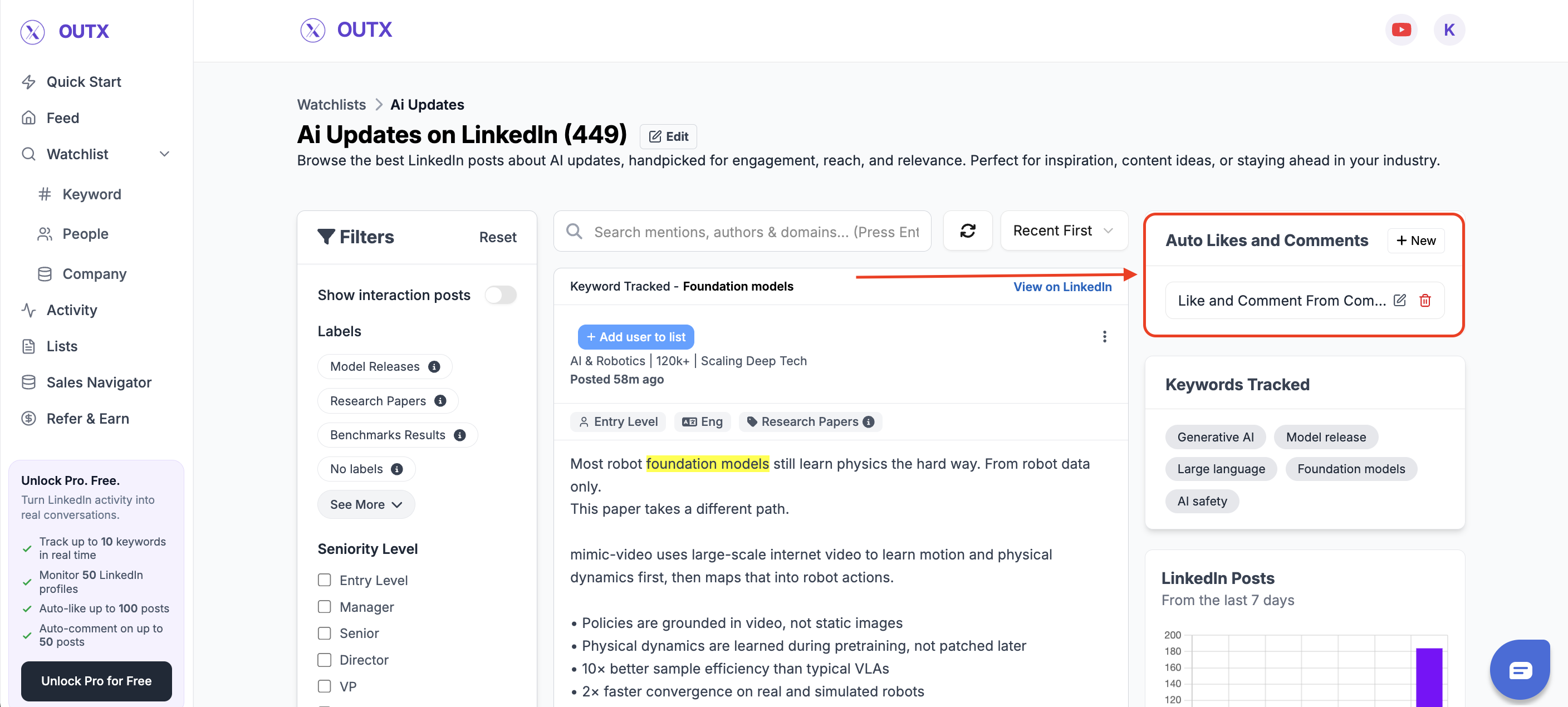
Once the rule is active, OutX.ai will automatically:- Like posts
- Add comments
- Or do both
FAQ
1. Are there daily automation limits? Yes, LinkedIn has engagement limits. OutX.ai distributes actions safely across accounts.2. Can different team members have different rules? Yes. Each member can have custom automation rules, but you need separate rules for each.
3. Do automated comments look spammy? No. OutX.ai uses multiple comment variations and rotates them for natural engagement.
4. Can I exclude certain profiles? Yes. Add exclusions when setting up rules to avoid unwanted profiles.
5. Do actions happen instantly? No. Actions are queued and spaced out to mimic natural behavior.
6. Can I edit active rules? Yes. Pause, delete, or edit rules anytime using the toggle switch.
7. Does this only work for likes and comments? Currently yes, but you can track posts, job updates, and milestones for future actions.
8. Risk of account restrictions? OutX.ai stays within LinkedIn’s safe limits, but excessive automation can trigger restrictions. Stay strategic.