

Steps to Edit a People Watchlist
Step 1: Open People Tracking
Go to People watchlist in the main navigation. Find the people watchlist you want to update and click the pencil (edit) icon next to it. This is the only step that differs from creating a people watchlist.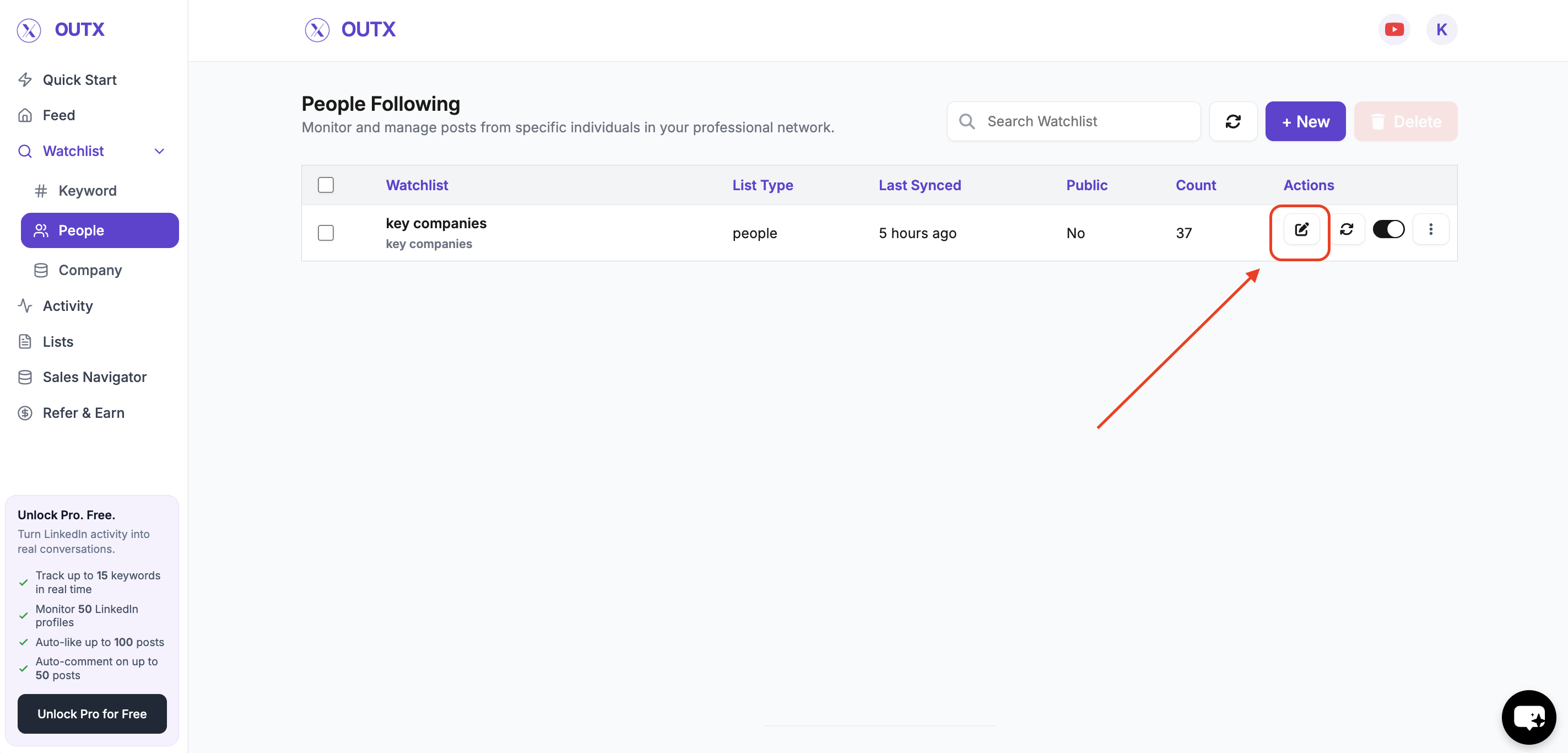
Step 2: Take Note of the Selected List
In the edit panel, note which people list is currently selected (the list of profiles included in the watchlist). You’ll need to use this to continue editing the correct group. Once you’ve confirmed the selected list, close the edit panel to return to the main People Tracking page.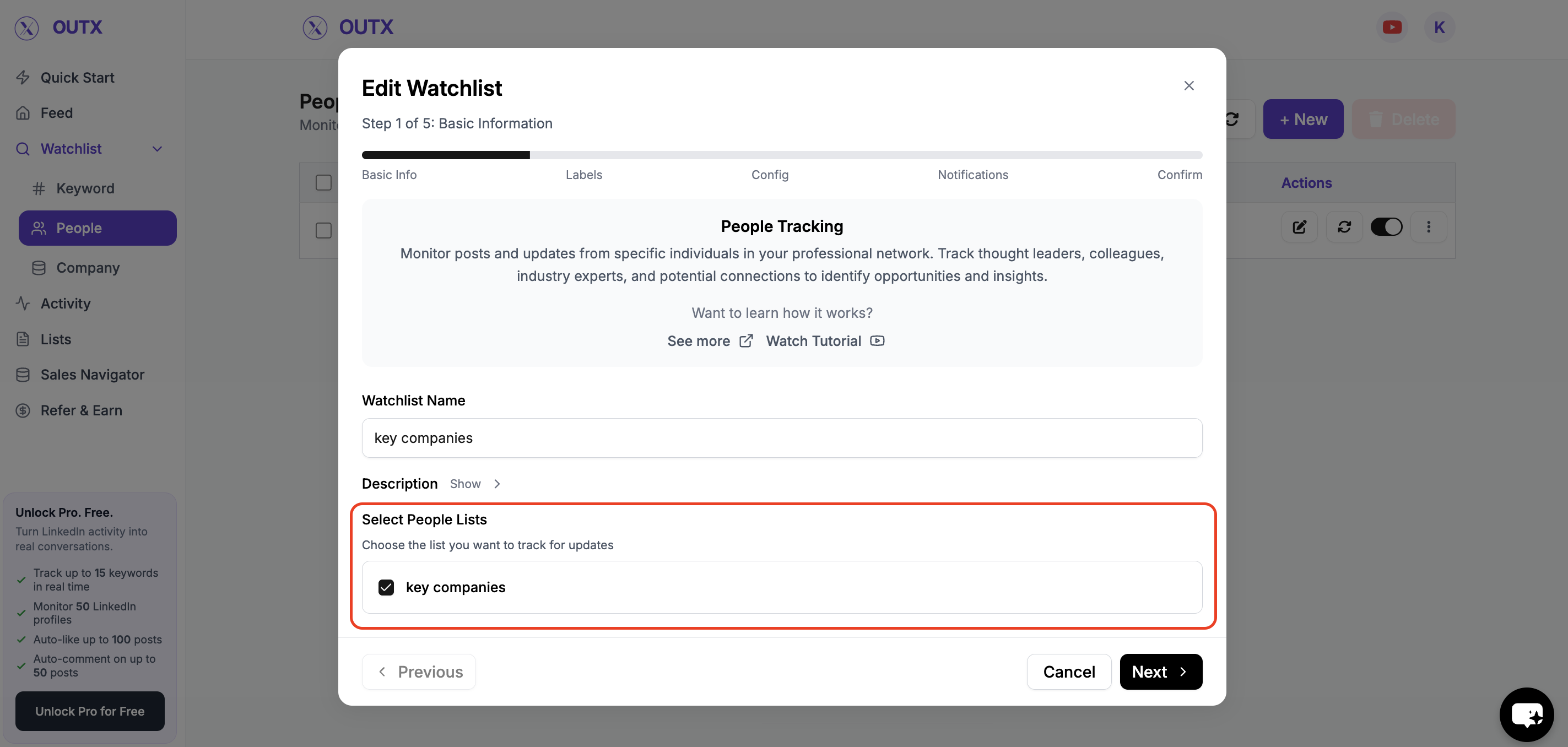
Step 3: Open the Lists Section
Navigate to the Lists area. Look for the list whose name matches the list you noted from the edit panel, and open it.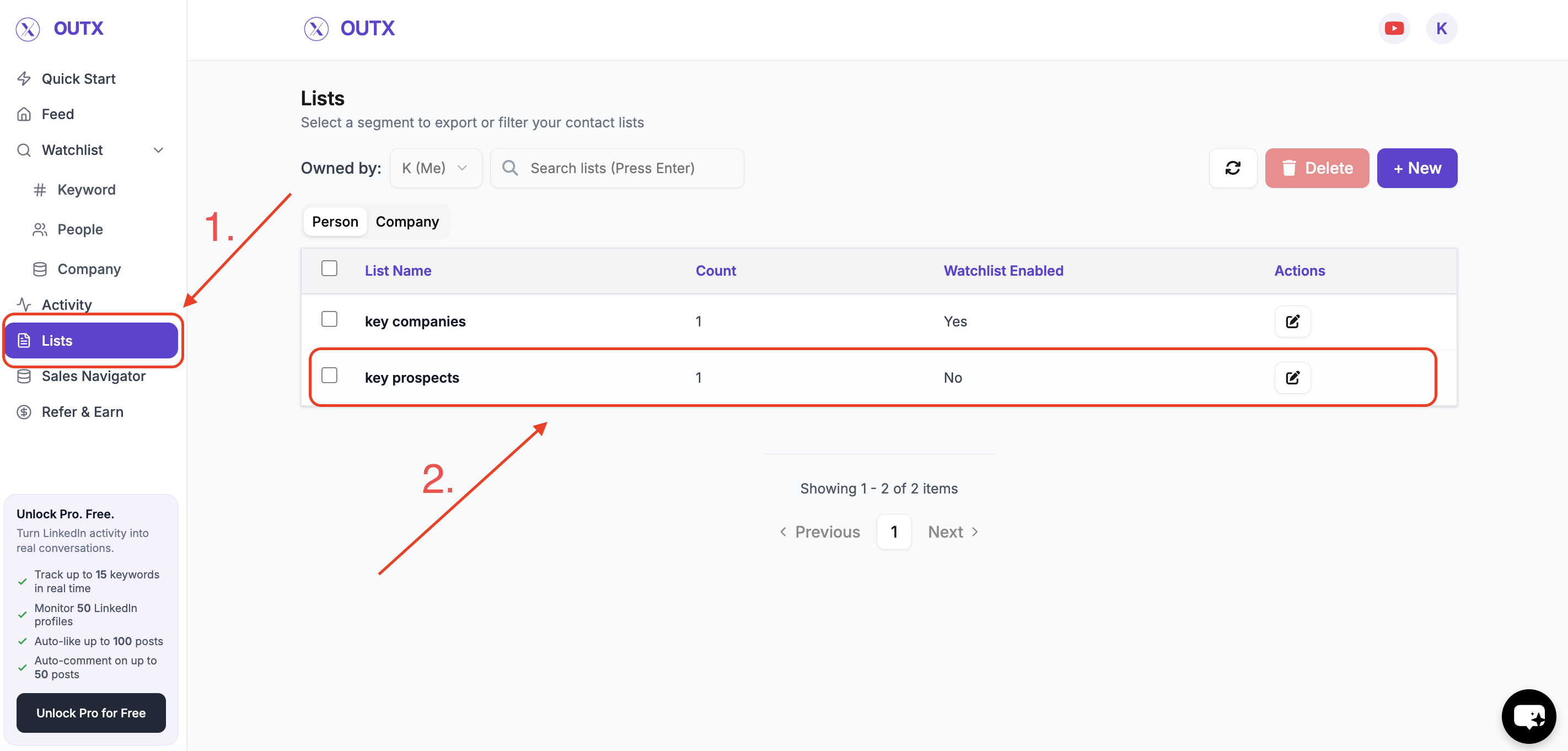
Step 4: Import Profiles
Within the list, click the three dots (⋯) in the top right corner, and then select Import.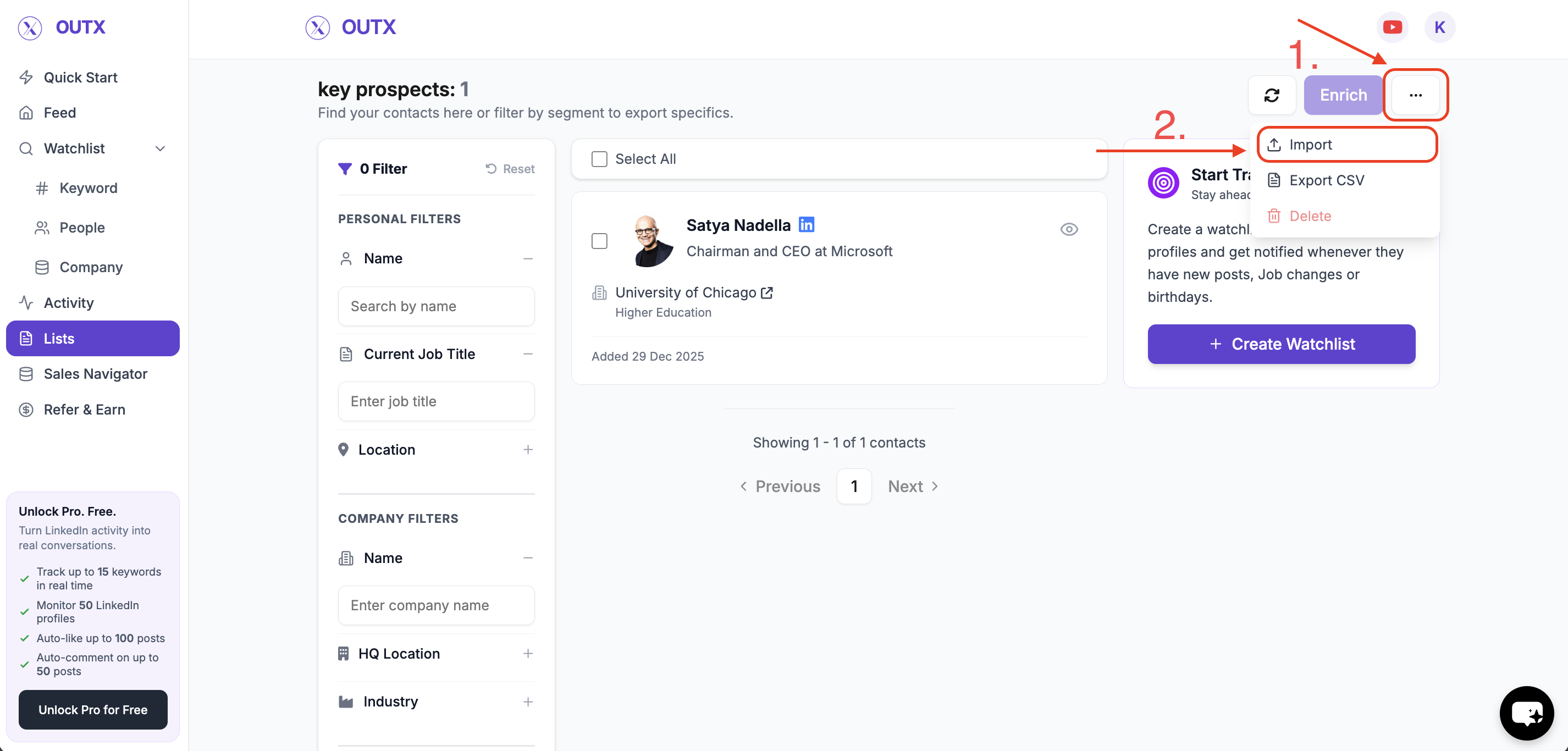
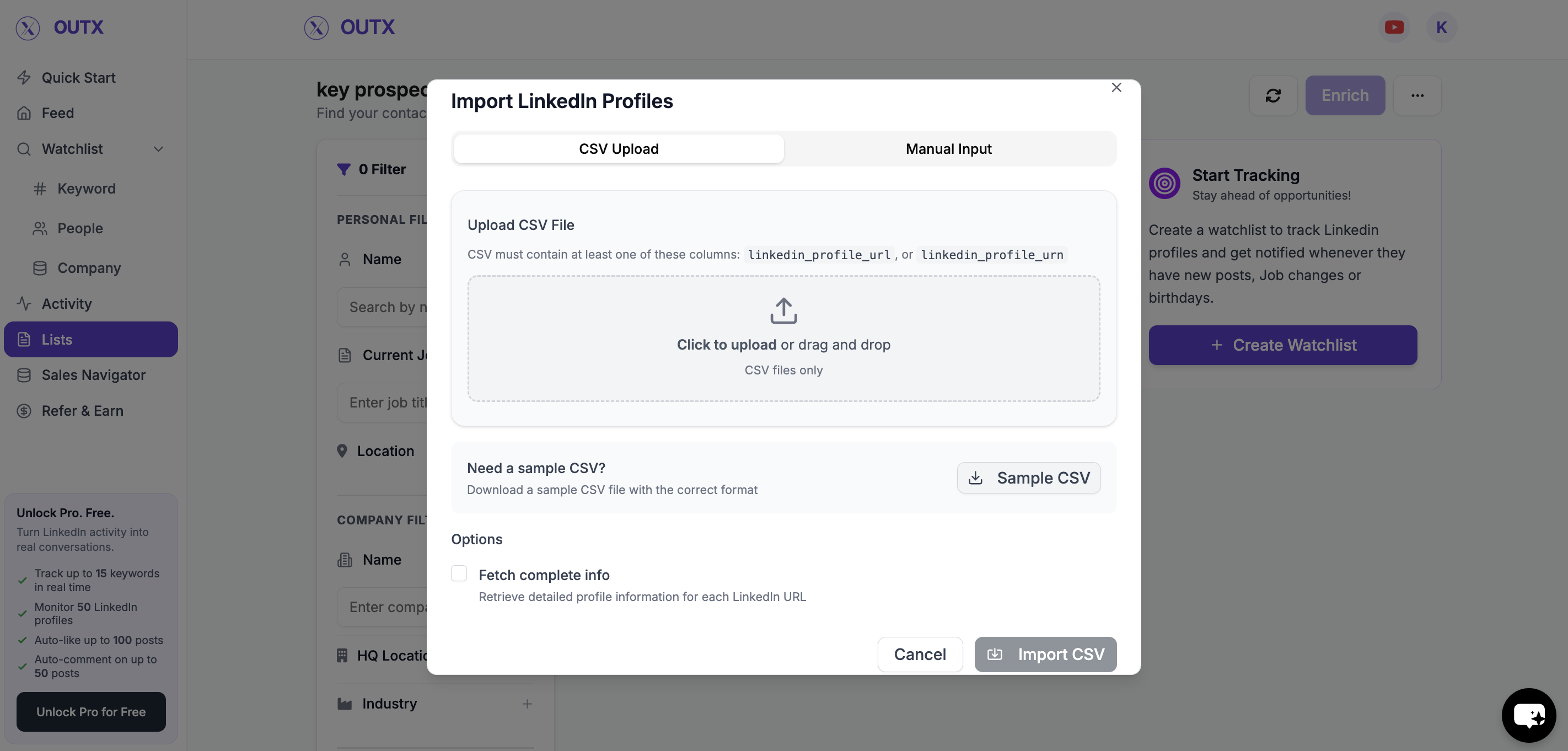
Step 5: Add or Update Profiles
You can now update the list of people to be tracked in two ways:- Manual Import – Paste LinkedIn profile URLs or enter them one-by-one.
- CSV Import – Upload a CSV file containing LinkedIn profile URLs.
FAQs
- What happens if I remove a profile from the list? Removing a profile will stop tracking that person going forward. Previously collected activity for that profile may be retained depending on your plan and retention settings.
- Can I import profiles in bulk? Yes you can import multiple LinkedIn profiles at once using a CSV file via the import option. This is useful when updating large lists.
-
Is the edit process different from creating a watchlist?
The core setup steps are the same as creating a watchlist. The only extra actions are:
- Clicking the edit (pencil) icon to open the existing watchlist.
- Navigating to the associated list and using the import option to update profiles.
- Can a watchlist be edited multiple times? Yes you can update a People Watchlist as often as needed. Changes apply once you save the updated list.