

- Build your personal brand using keyword-based engagement
- Be early and visible on your target prospects’ posts
Why Use Auto Engagement?
Timing and consistency matter on LinkedIn. Auto Engagement helps you show up on the right posts without manually checking LinkedIn all day.How OutX.ai Helps with Auto Engagement
OutX.ai connects engagement directly to what you track. You decide what to engage with and how—OutX.ai handles it automatically.Choose How You Want to Use Auto Engagement
Auto Engagement always runs on a watchlist. You can enable it in two ways:Option 1: Grow my LinkedIn presence (Keyword-Based Engagement)
Use this when you want to engage with industry conversations, trends, or topics related to your expertise. This approach is powered by keyword watchlists.What this is best for
- Personal branding
- Thought leadership
- Staying visible in relevant conversations
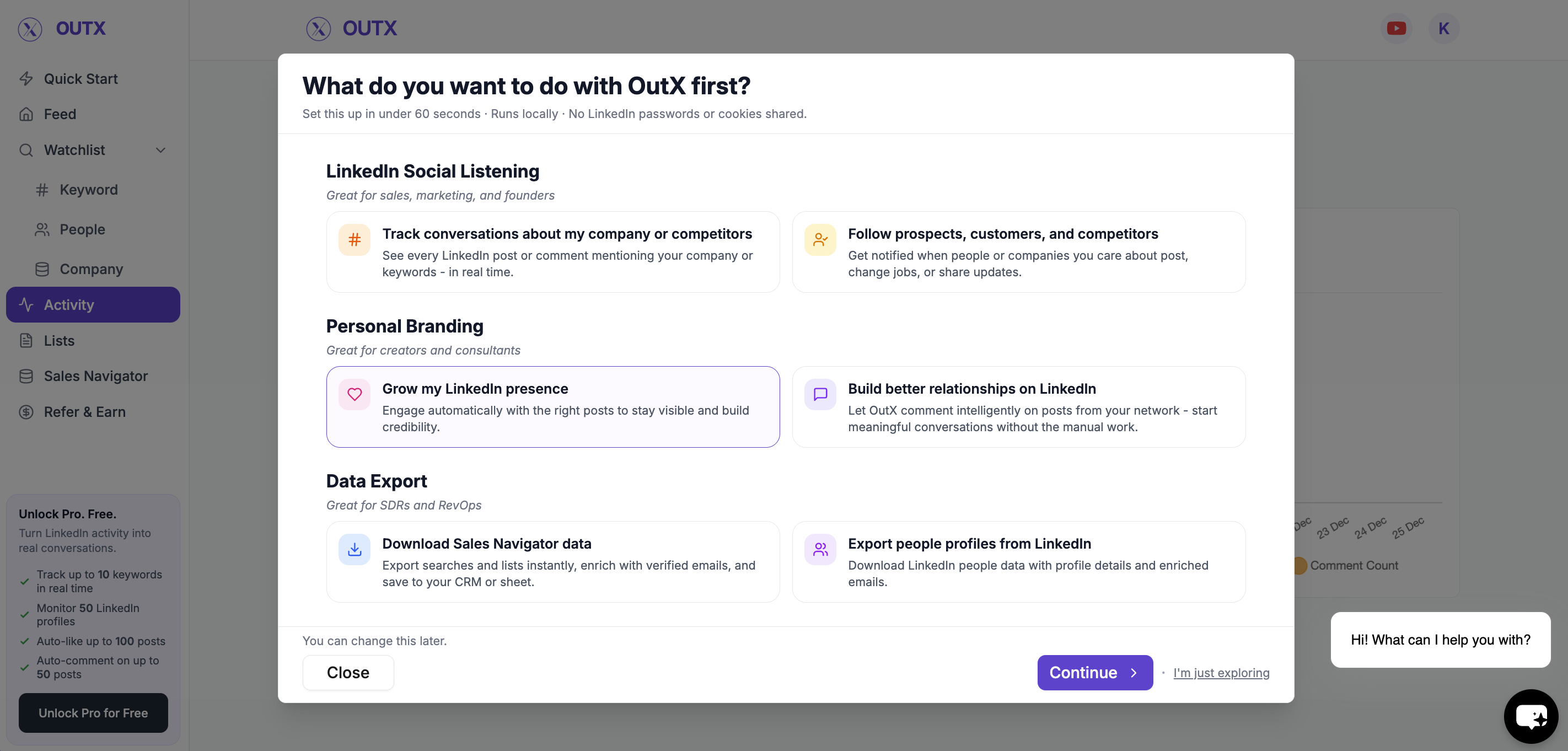
How to Set It Up
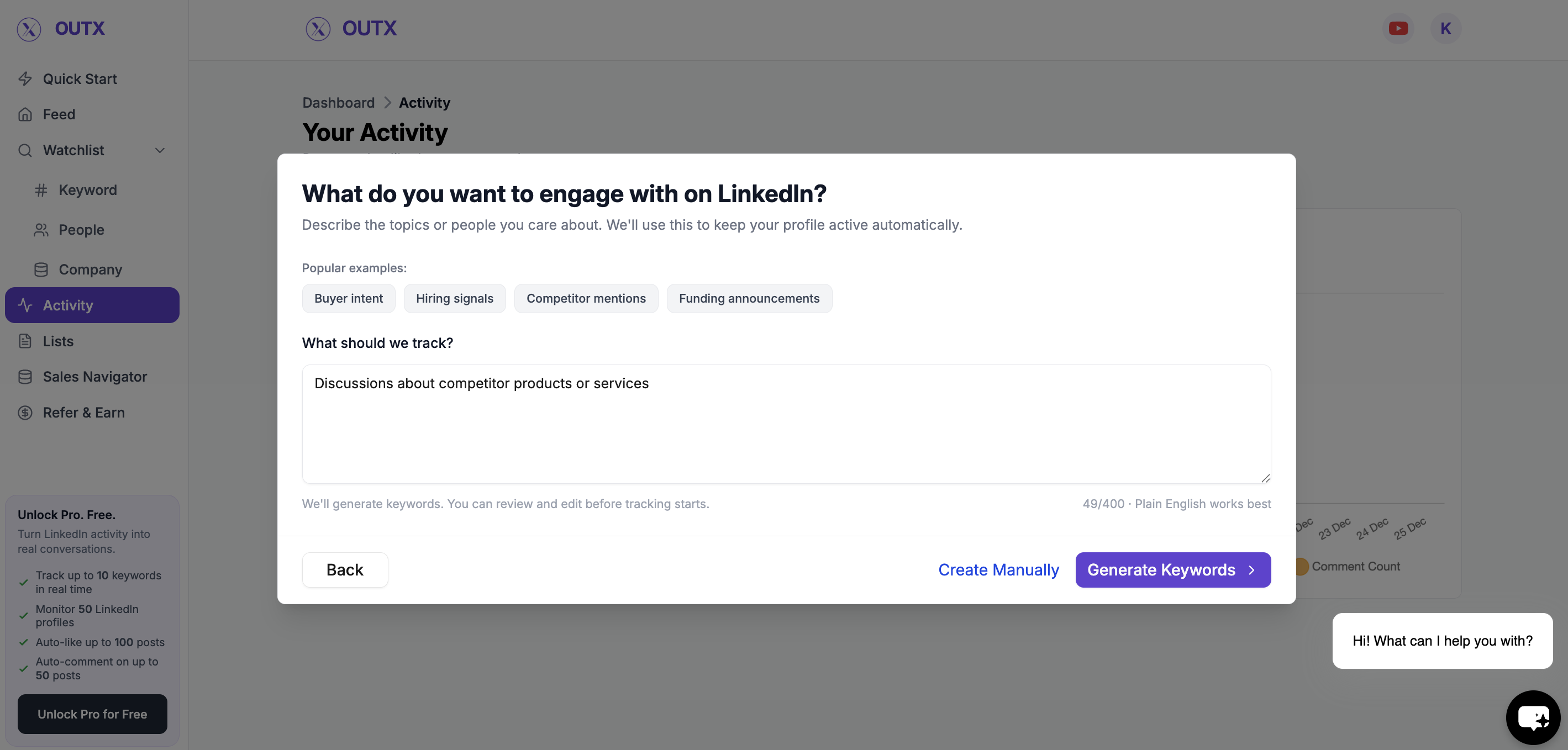
Step 1: Create a Keyword Watchlist
Describe what you want to engage with in plain English, or add keywords manually. Examples:- “Founders talking about SaaS growth”
- “Posts about hiring engineers”
- “Outbound sales discussions”
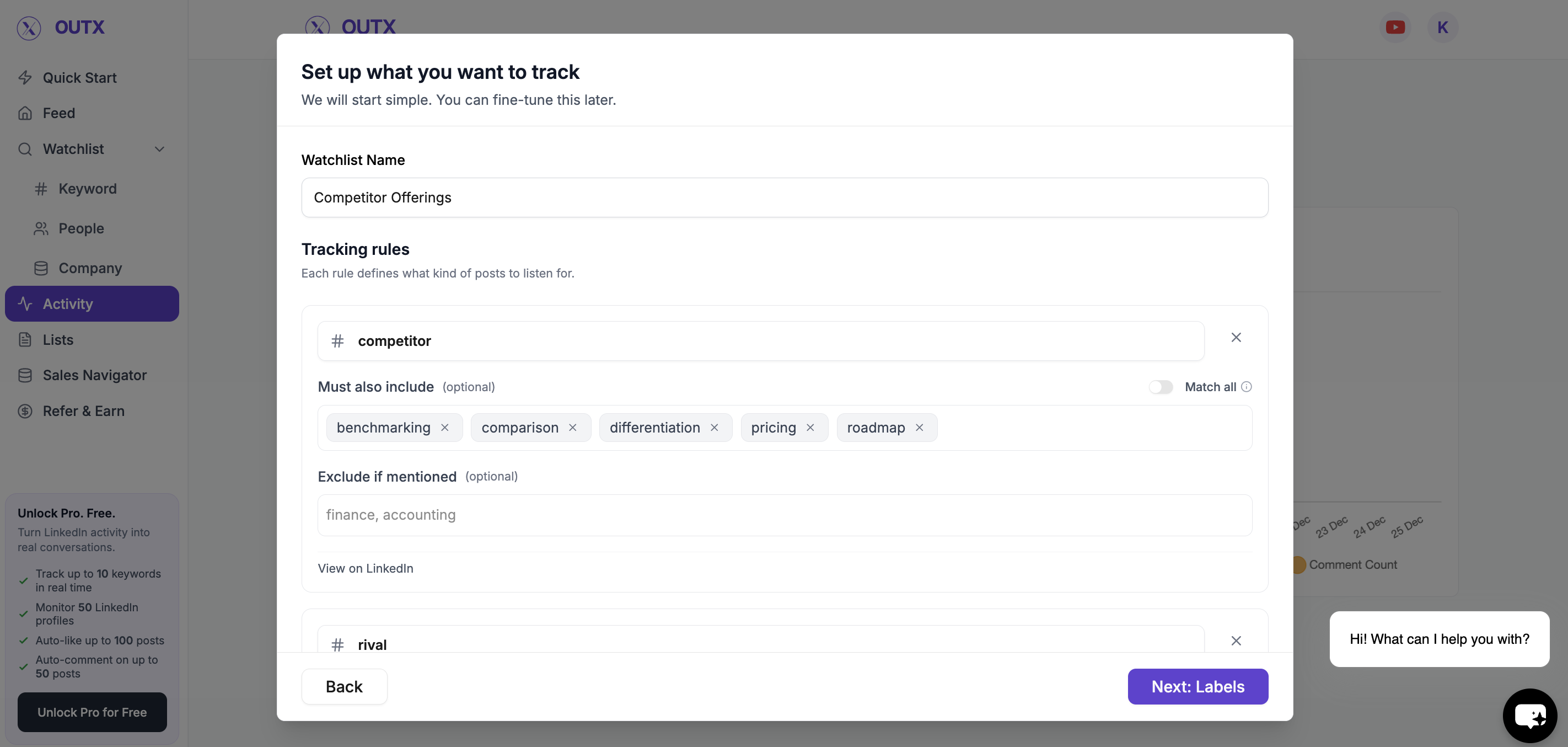
Step 2: Review Keywords & Add Labels
Refine the keywords to match your tone and focus. Add labels to:- Group similar posts
- Control engagement later
- Keep the feed organized
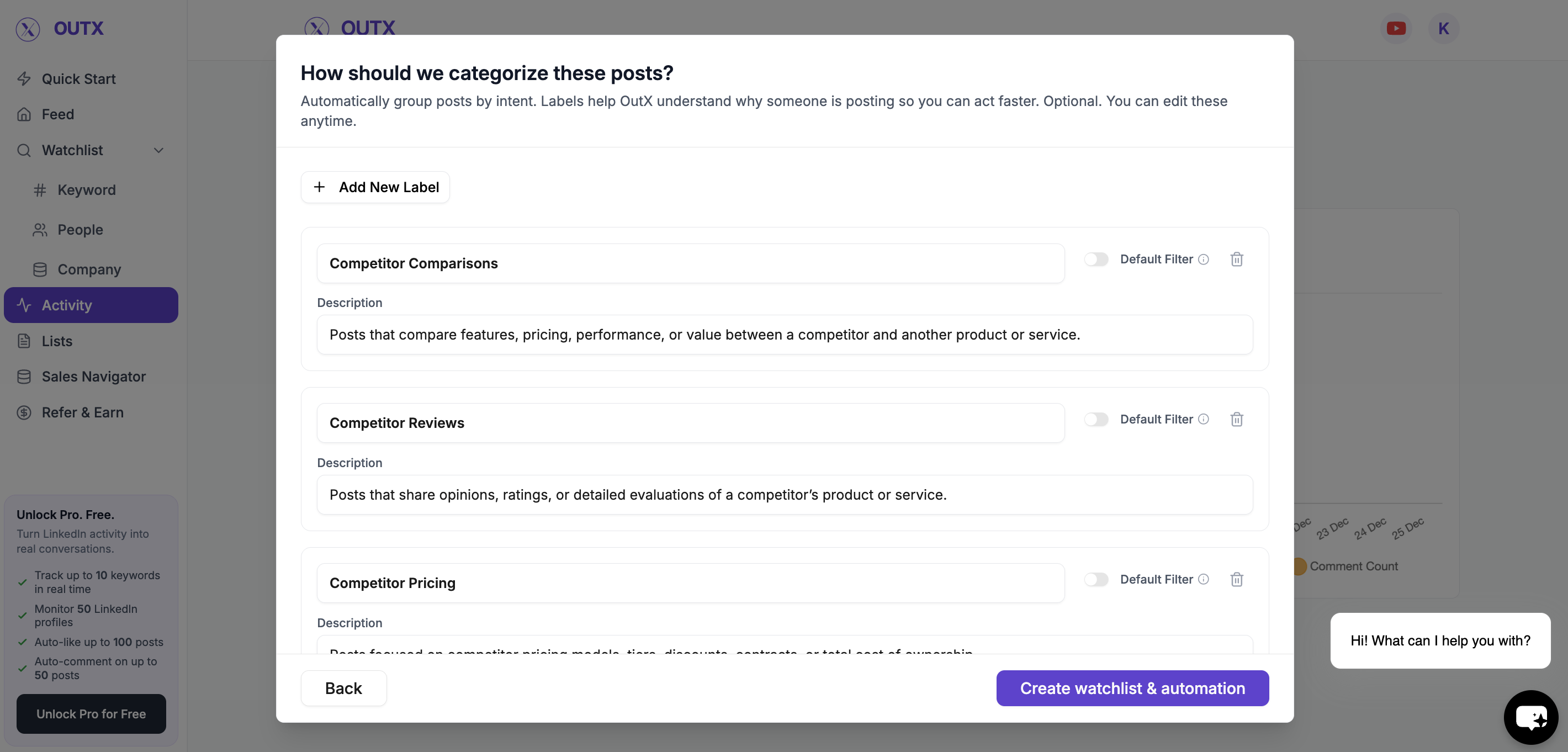
Step 3: Create watchlist and Automation
Now all you have to do is click on “Create watchlist and automation” Then, you can:- Like posts
- Comment on posts
- Like and comment together
To know more about this → click here
Option 2: Be First on Your Target Prospects’ Posts (People-Based Engagement)
Use this when you want to engage with specific people or accounts as soon as they post. This approach is powered by people watchlists.What this is best for
- Sales and outbound
- Relationship building
- Staying top of mind with prospects
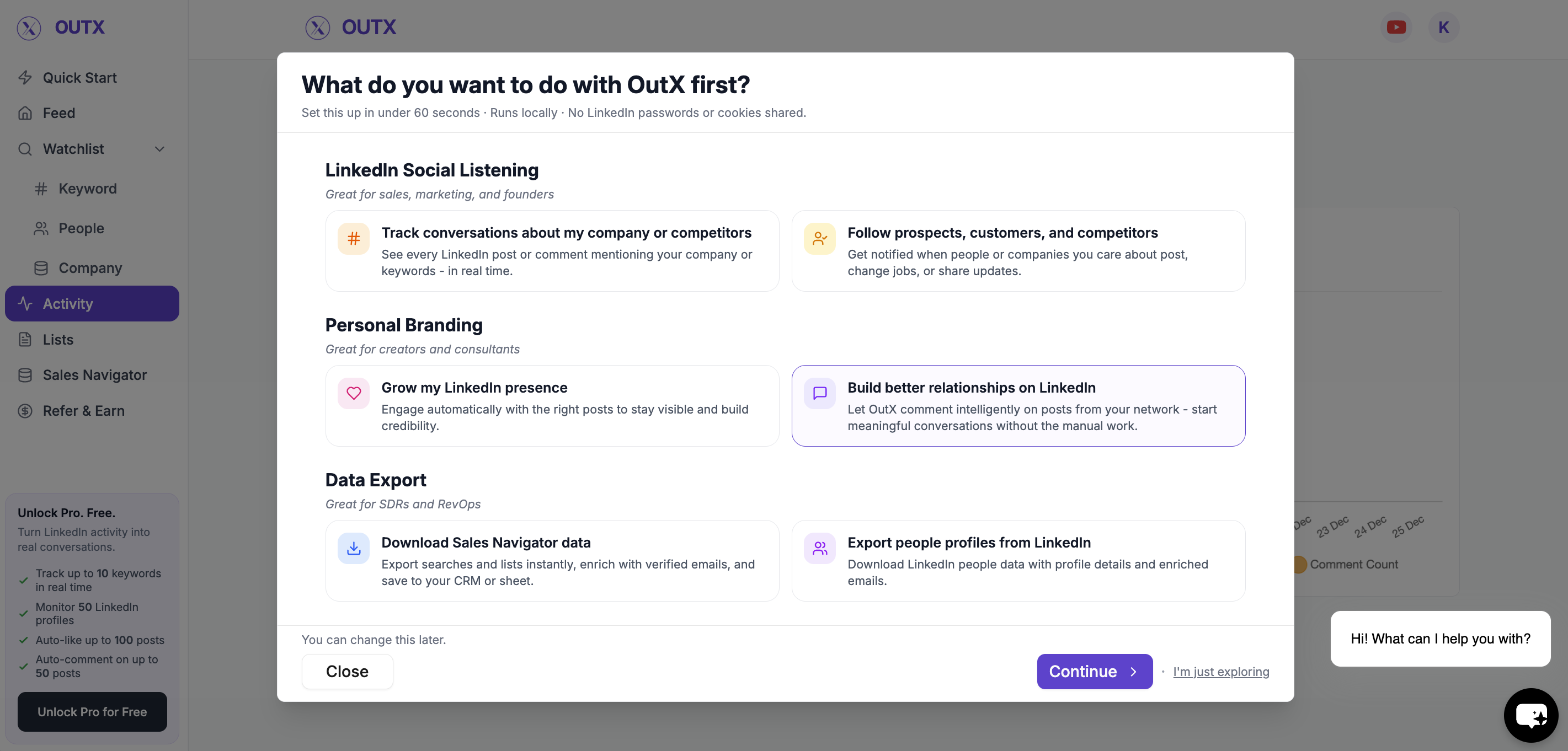
How to Set It Up
Step 1: Create a People Watchlist
Add LinkedIn profiles of:- Prospects
- Customers
- Founders
- Decision-makers
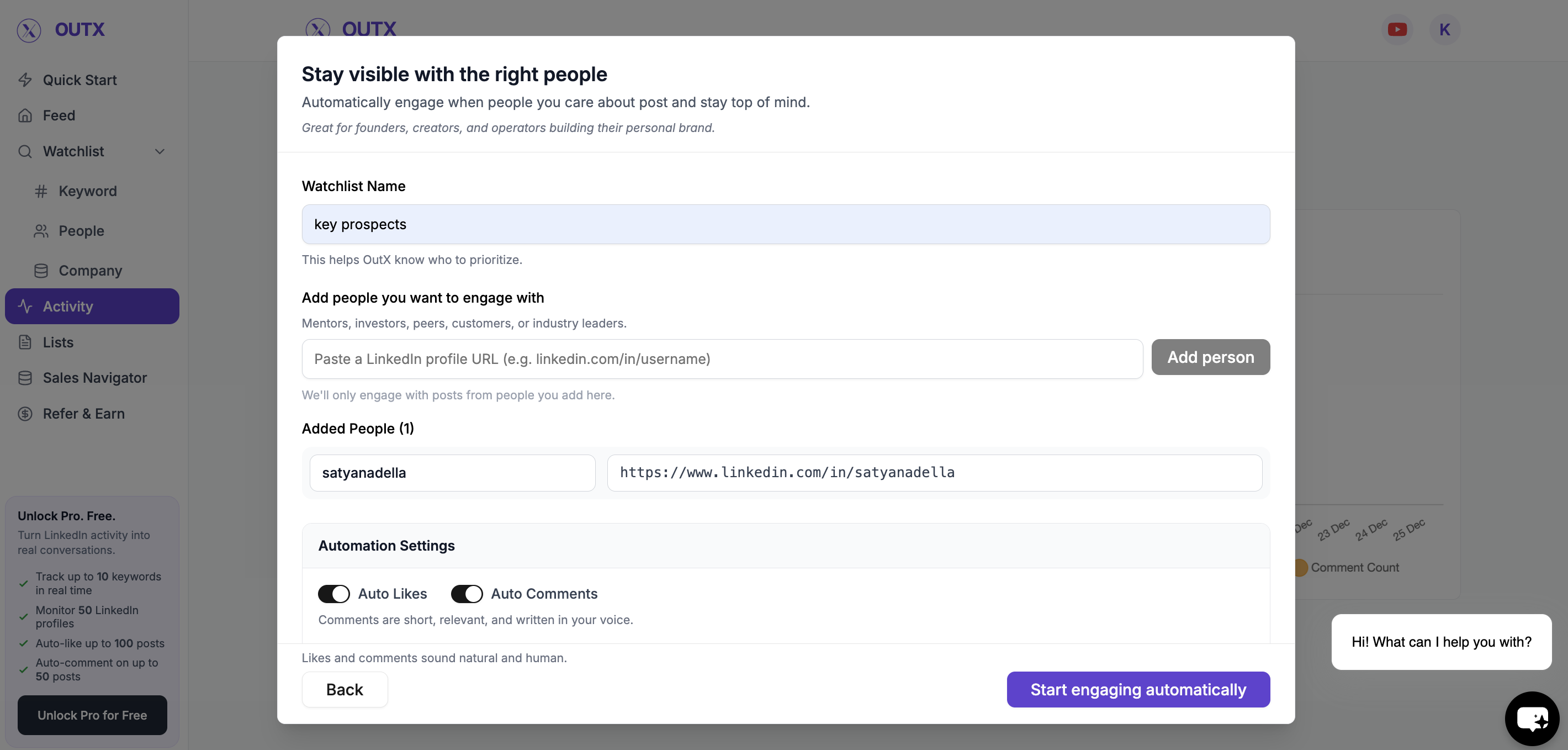
Step 2: Start engaging automatically
This enables auto like and auto comment for the people watchlist. You can:- Like posts as soon as they go live
- Comment automatically using your rules
- Choose personal or company account engagement
What Happens After Setup
Once enabled:- OutX.ai monitors posts in the background
- Engagement triggers based on your rules
- You stay visible without daily effort
You’re Live
In under 10 minutes, you’ve:- Chosen how you want to engage
- Set up keyword or people tracking
- Enabled auto engagement
- Started building visibility on LinkedIn